Seller Wallet Top-up (Add Funds)
Highlight on how Sellers (Admins) can add funds to their portal wallet to pay for student subscriptions and access time.
Your Seller Wallet is the central fund used to pay for student activity on the portal. Since the system charges you for every subscription day assigned to a student, maintaining a healthy wallet balance is essential for uninterrupted service.
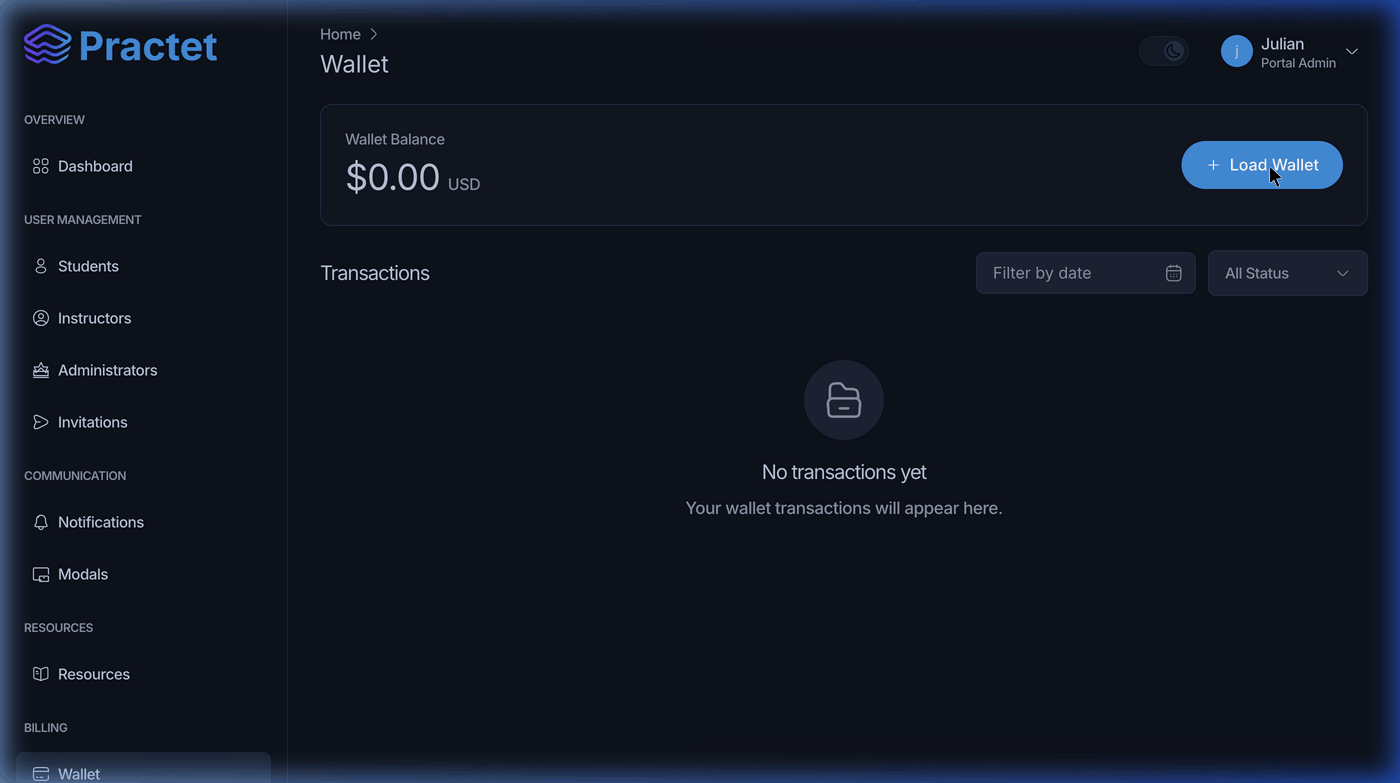
1. Accessing the Wallet
To view your balance and transaction history:
- Navigate to the Billing section in the admin sidebar.
- Click on Wallet.
This page displays your Total Balance, your recent Deductions (for student subscriptions), and a list of your previous Load transactions.
2. How to Add Funds (Top-up)
Follow these steps to increase your wallet balance:
- Open Modal: Click the blue Load Wallet button in the top right of the balance card.
- Select or Enter Amount:
- Quick Select: Choose from $50, $100, $200, or $500.
- Custom: Enter any amount (minimum $10 USD).
- Choose Payment Method: The portal currently supports secure payments via Credit/Debit Cards (Visa, Mastercard, etc.).
- Complete Payment: Click the Pay $[Amount] button to finalize the transaction.
3. Wallet Usage Logic
- Real-time Charging: When you use the "Give Access" tool for a student, the amount is deducted from this wallet immediately.
- Top-up Minimums: Ensure you top up enough to cover your expected student volume for the month.
- Transaction History: Use the table at the bottom of the Wallet page to audit your spending and see exactly which students were charged to your account.
[!TIP] Keep an eye on your balance! If your wallet reaches $0, you will see an "Insufficient wallet balance" error when trying to invite new students or extend current subscriptions.
You might also find these helpful
Still need help?
Couldn't find what you were looking for? Our support team is ready to assist you with any questions.Contact us