Resource & Category Management
Highlight on managing study references, templates, and supplemental materials to help students improve their skills.
In the Practet portal, Resources are study references provided to students for supplemental learning. These are not practice tests, but rather materials like essay templates, sample audio for speaking improvement, or article links for reading vocabulary.
1. Understanding Resources vs. Practice
It is important to distinguish between practice materials and study references:
- Practice Materials: Interactive tests and exercises (managed in other sections).
- Resources: Static references such as PDF templates, audio samples to listen to, or links to external reading articles.
2. Creating and Organizing Categories
Categories act as your organizational structure. You should group resources by their study purpose.
Detailed Steps to Create a Category:
- Navigate to Resources in the sidebar.
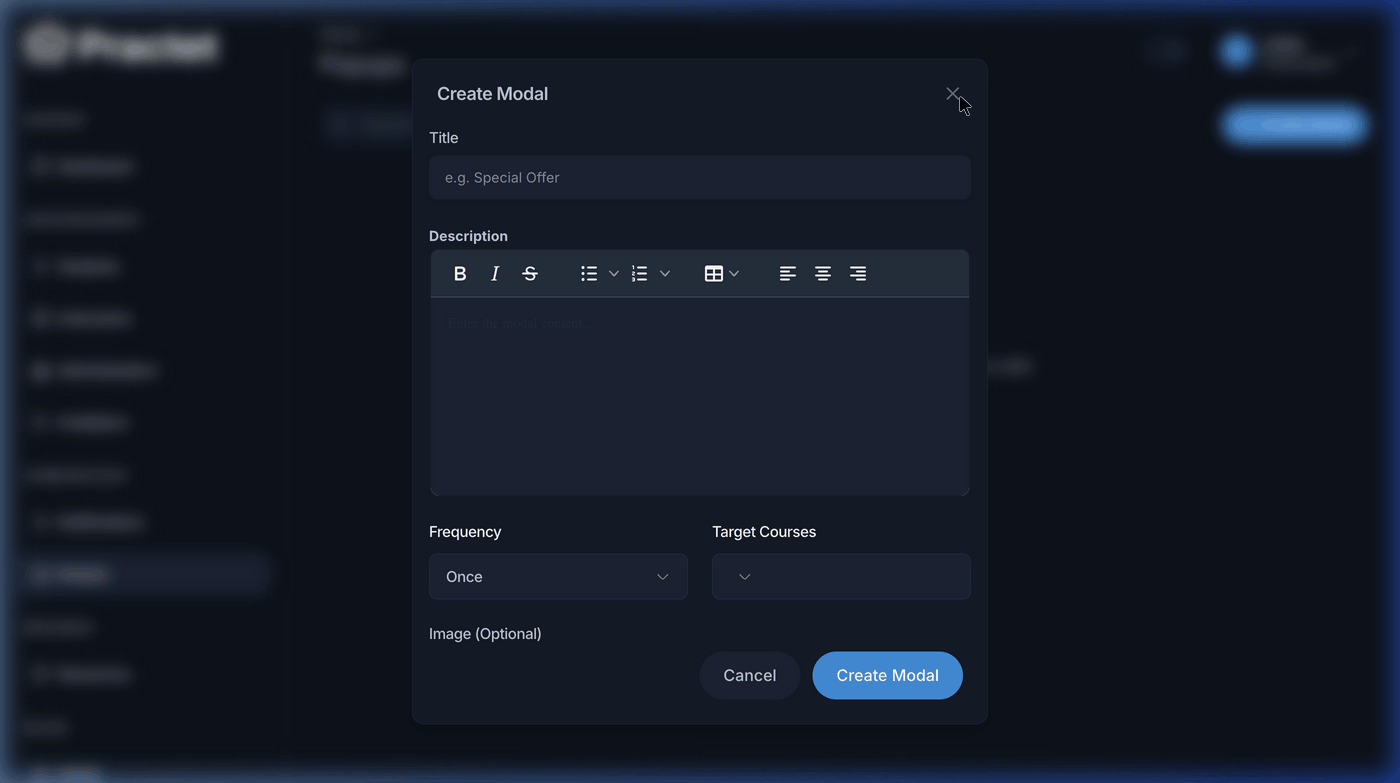
- Click the Create Category button.
- Form Breakdown:
- Category Name: Use simple names (e.g., "Essay Structure" or "Speaking Samples").
- Slug: A unique, URL-friendly version of the name.
- Target Courses: Select which exam types can view these references (e.g., IELTS Academic, PTE Core).
- Click Create to save the category.
3. Adding Study References (Materials)
Adding materials is a two-step process: First, enter the folder (category), then upload the specific reference material.
Step 1: Enter the Category Folder
Navigate to the Resources list and click on the Name of the category you wish to manage. This will open the folder's dedicated resource list.
Step 2: Open the "Add Material" Form
Once inside the folder, click the Add Material button in the top right corner.
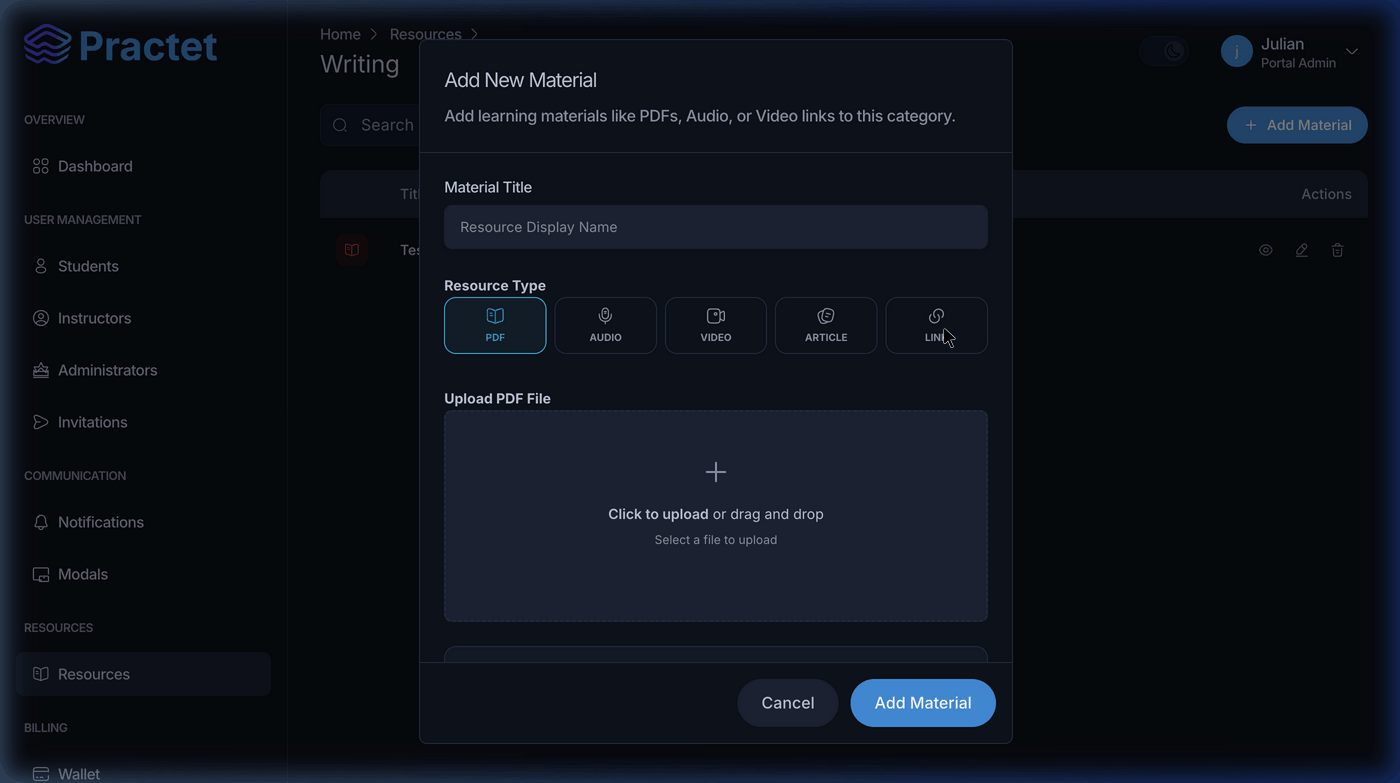
Step 3: Configure the Material
In the Add New Material modal, provide the following details:
- Material Title: The clear name of the reference (e.g., "Essay Structure Template").
- Resource Type: Select the type of content you are providing:
- PDF: For templates, rubrics, and reading articles.
- Audio: For pronunciation or listening samples.
- Video: Provide a link to an external video resource.
- Article: Add a direct link to a study article or vocabulary list.
- Link: For any other external web references.
- Upload/Link: Depending on the type selected, upload the file or paste the URL.
4. Naming Conventions & Best Practices
- Simplified Naming: Only use the specific name of the material. Avoid adding module or type tags to the title.
- ✅ Correct:
Essay Structure - ❌ Incorrect:
Writing Module - Academic Essay - Template
- ✅ Correct:
- File Quality: Ensure audio is clear and PDFs are readable.
- Course Logic: Ensure materials are assigned to the correct exam type (e.g., TOEFL references should only be visible to TOEFL course students).
[!TIP] Use Categories for Milestones! Instead of just "Reading," try categories like "Reading Week 1," "Reading Week 2," etc. This creates a clear path for the student to follow.
You might also find these helpful
Still need help?
Couldn't find what you were looking for? Our support team is ready to assist you with any questions.Contact us